7 Common Tattoo Booking Mistakes & How To Prevent Them
Tattoo clients expect fast replies, transparent pricing, and a smooth booking process. But manual systems make that hard. Phone calls, DMs, and paper calendars lead to missed messages, double-booked slots, and frustrated clients.
Below are the most common tattoo booking mistakes shops make every day. The good news? Having the right software can help prevent or fix them.
Mistake #1: Relying on DMs and Texts for Booking
Using Instagram DMs, Facebook messages, and random texts as your main booking system may feel flexible, but it’s a trap.
Messages get buried under likes and comments. Clients send half the info you need. You scroll for screenshots to remember who booked what. This is where you lose serious money without realizing it.
Every unanswered DM is a potential full-day session gone. Every “Hey, is this still happening?” message is a sign your process is unclear. A proper online booking page fixes this.
There, clients see your available times, answer your intake questions, and lock in their appointment without a back-and-forth chat. With software like Bookedin, all requests land in one place, tied to your calendar, so you never hunt through apps again.
If you want fewer messages and more confirmed appointments, move booking out of your DMs and into a dedicated system that runs on its own.

Streamline your bookings
Join thousands of studios saving time with online scheduling.
Mistake #2: Double-Booking and Overlapping Appointments
Double-booking usually starts small. You write one appointment in your paper book, then promise a “quick walk-in” at the same time, or you accept a booking from social media but forget to block it in your calendar app. Then the day comes, and two clients show up expecting your full attention.
This kills trust fast. It also wrecks your focus and throws off your entire day. Having the right tattoo scheduling tool (that is, Bookedin!) prevents this by treating your time as a protected resource.
When a client books through your booking page, that slot is instantly blocked in your calendar. You can set buffer times between sessions, block days for flash events, and mark personal time off.
Mistake #3: No Deposits or Weak Cancellation Rules
Nothing drains a tattoo artist like no-shows and last-minute cancellations. You block off a full day, prep designs, turn away other clients, then get a “Sorry, can’t make it” text an hour before — or worse, no message at all.
When you don’t take deposits or set clear cancellation rules, you train clients that your time is flexible. A scheduler like Bookedin fixes this by building deposits and policies into the booking flow.
With Bookedin, you can require a deposit for specific services, set how far in advance clients can cancel or reschedule, and send automatic policy reminders. Clients see the rules before they book. They pay to hold their spot. If they bail, you’re not left with an empty chair and zero compensation.
Mistake #4: Vague Intake Info and Back-and-Forth Messages
Many artists let clients book with almost no details, which is typically how the chaos starts. You spend days messaging about size, placement, style, references, and budget.
Some clients show up with ideas that don’t match your work. Others expect full sleeves in a two-hour slot. This is all preventable with a comprehensive intake form built into your booking page. It will help filter out bad fits and give you what you need up front.
You can easily do this with a software like Bookedin, where you can require answers to key questions like body placement, approximate size, color or black and gray, reference images, and budget range. You can even set different questions for different services.
Afterward, Bokedin stores all these information with the appointment, so you see everything at a glance in your calendar. So yes, if you want smoother consults and fewer surprises, let your booking form do the screening before clients ever hit your chair.
Mistake #5: No Automated Reminders or Follow-Ups
Clients are often busy and distracted. They book weeks or months in advance, then life happens. If you rely on them to remember their appointment without help, you’ll keep seeing preventable no-shows.
Manual reminders are not realistic either. You don’t have time to text every client the day before. This is where automated reminders and client messaging matter. With Bookedin, every confirmed appointment can trigger automatic email or text reminders at intervals you choose.
You can also send follow-ups for aftercare instructions or touch-up suggestions. This keeps your shop top of mind and shows clients you run a professional operation. It also cuts down on “What time was my appointment again?” messages that interrupt your day.
Reduce no shows and double booking
Simple online scheduling tuned for studios.
Mistake #6: No Central Calendar for the Whole Shop
In multi-artist shops, booking chaos is more likely to happen. One artist uses a notebook. Another uses a phone calendar. The front desk has a separate system. Walk-ins get scribbled on sticky notes. No one sees the full picture.
This leads to artists being double-booked for consults and tattoos at the same time, or the shop promising a walk-in when every chair is actually full.
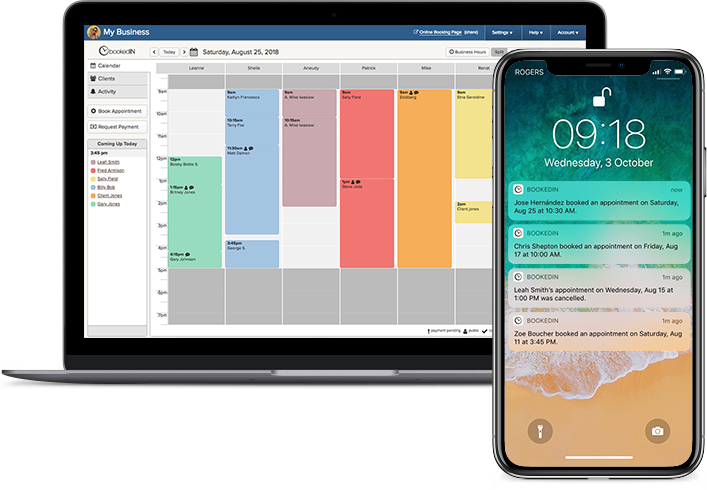
A shared calendar fixes this. And with Bookedin, each artist can have their own schedule, but the shop still sees everything in one view. You can assign services to specific artists, control who can book what, and block off time for guest spots or events. This keeps the whole team aligned and stops the “Who’s free right now?” guessing game.
Mistake #7: Making Clients Work Too Hard To Book
Some shops unintentionally make booking difficult. Clients have to call during specific hours, wait for DM replies, or fill out long, confusing forms. Many give up and move on to the next artist who makes it easier.
The smoother your booking flow, the more high-quality clients you attract. A tattoo scheduling software lets you create a simple, always-open booking page where clients can see your services, prices or price ranges, and availability. They can book from their phone in a few taps, even late at night.
You control what’s visible, how far out they can book, and which services require approval. In fact, Bookedin turns your booking process into a clean, professional experience that matches the quality of your work.
Stop losing time in your messages
Let clients pick a time and confirm instantly. Your schedule stays full and your inbox stays quiet.
- ✓Collect deposits seamlessly
- ✓Automatic reminders
- ✓Calendar sync
- ✓Mobile‑friendly booking
Frequently Asked Questions
Can I still approve appointments before they’re confirmed?
Yes. Many systems, including Bookedin, let you require approval for certain services. Clients submit a request through your booking page, you review their details and references, then approve or decline. Once approved, the appointment is added to your calendar and normal reminders and client messaging kick in.
What if I take walk-ins as well as appointments?
You can block specific hours in your calendar for walk-ins and leave the rest open for online booking. This way, your booking page never offers times you want to keep free. You still get structure for your appointments while keeping flexibility for spontaneous clients.
Do I need separate booking systems for each artist?
No. A single system can handle multiple artists with separate schedules. With Bookedin, each tattoo artist at your shop can have their own services and availability, but the shop can still see everything in one calendar view. This helps prevent double-booking and makes it easier to manage the whole team.
Will tattoo clients actually use online booking instead of messaging?
Yes, if you make the next step obvious. Put your booking link in your bio, website, and auto-replies, and be consistent with something like, “All bookings through this link.”
When the booking page is quick and easy, most clients prefer it. They get instant confirmation instead of waiting for replies, and you get a cleaner schedule.