Manual Scheduling vs. Tattoo Booking Software: Which Actually Works Better?
If it feels like everyone’s moving bookings online, you’re not imagining it. Recent data shows that around 45% of tattoo studios now use an online booking system to handle client appointments.
Although that doesn’t necessarily mean manual scheduling is “wrong,” it does mean there’s a reason so many studios are making the switch.
So, let’s compare manual scheduling and appointment booking software for tattoo studios, and break down the real pros, cons, and hidden costs of each one.
What Manual Scheduling Usually Looks Like in a Tattoo Shop
Manual scheduling usually starts in social media DMs, text messages, phone calls, or maybe email. A client contacts you, you go back and forth on dates and times, and then you add the appointment on a paper planner, a desk calendar, your phone notes, or Google Calendar.
This process may feel simple because it’s familiar, and it may work fine when your tattoo studio doesn’t have that many booked appointments yet.
However, the more messages and appointments you have, the more likely it is that something slips through the cracks, given that important details are scattered across different messages or notes.
Also read: 15 Ways To Get More Tattoo Clients
What a Booking Software Does for Your Tattoo Studio
With manual scheduling, you’re the one organizing the conversation, confirming details, tracking deposits, and reminding clients — every single time.
But with a tattoo booking software, you set your availability and rules once, and clients book within those boundaries, so the scheduling part doesn’t live in your inbox anymore.
Instead of a long message thread just to land on a time, clients can see which slots are open and choose a time that fits. Most tattoo booking software are designed to handle the routine steps that take up time but don’t really require your personal attention.
Typically, it gives you a booking link that clients can use anytime, along with automatic confirmations so nobody wonders if the appointment is “actually booked.” Reminders go out before the appointment, which helps cut down on last-minute forgetfulness.
Many systems also let you collect deposits or prepayment upfront, which is helpful in keeping your revenue intact. Plus, instead of re-asking multiple questions in DMs, you can collect key details through an intake form so you’re not digging through old messages when appointment day comes.
Pros & Cons of Manual Scheduling
Here are some of the advantages and disadvantages of scheduling tattoo appointments manually.
Pros
- Feels personal and flexible: This may be ideal for custom work when you want to chat through ideas before locking in a date.
- Easy to start: You’re already using your phone and a calendar, so there’s no new system to learn.
- Manageable when you’re newer or slower: With fewer appointments, it’s easier to keep track without juggling too many moving parts.
- You can adapt on the fly: It’s simple to make exceptions, switch things around, and respond in your own voice.
- No monthly fee: It can feel like the cheapest option upfront since you’re not paying for software.
Cons
- It takes up a lot of time in your day: Small admin tasks pile up all day and add up fast.
- Everything is manual, every time: You’re repeating the same steps for each booking (availability, details, policies, deposits, reminders, etc.) without automation.
- Details get lost in messages: When all the information lives in DMs or texts, it’s easy to miss something or lose a thread in a busy inbox.
- Policies are harder to enforce consistently: If deposits/cancellation rules aren’t built into the process, you might get stuck re-explaining and hoping clients follow through.
- It starts to feel like two jobs: Over time, you’re tattooing (or managing the shop) and acting as a full-time booking desk, which isn’t the most efficient way to go about things.
Pros & Cons of Using a Tattoo Booking Software
Now, let’s take a look at what an appointment booking software does well for tattoo studios, and where it might possibly fall short.
Pros
- A cleaner, more consistent calendar: You don’t have to constantly check your inbox just to ensure that you don’t miss out on any client inquiries and bookings.
- Clients can book 24/7: If someone reaches out at night or between errands, they can secure a spot without waiting for you to reply.
- Deposits and policies are easier to enforce: Since clients will see these and have to agree to these as part of the booking flow, you won’t have to keep repeating these verbally.
- Automated reminders reduce no-shows: Instead of you manually reminding different clients at different times, the system sends each of them a heads-up at the right time.
- Everything is in one place: It’s easier to prep for an appointment because the details are organized and easily available in the system whenever you need them.
- More time to do your actual job: A tighter schedule and fewer back-and-forths usually mean more energy for your actual work (and your time off).
Cons
- It might cost some money: To enjoy all the premium features of a tattoo booking software, you’ll need to pay a subscription fee. However, it’s often the kind of expense that pays for itself in time saved (and fewer no-shows).
- There’s setup time upfront: You’ll spend a little time setting up your services, availability, and booking questions so clients book the right thing.
- Some clients will still DM first: Especially for larger custom pieces, so you may run a hybrid system for a while.
- You have to set rules clearly: If buffers, deposits, or consult vs. session rules aren’t defined, you can end up with bookings that don’t match what you intended.
- Adjustment period: It might take a week or two to tweak your settings (like buffers and service lengths) until bookings come in exactly how you want.
Also read: 8 Best Scheduling Software for Tattoo Studios in 2026
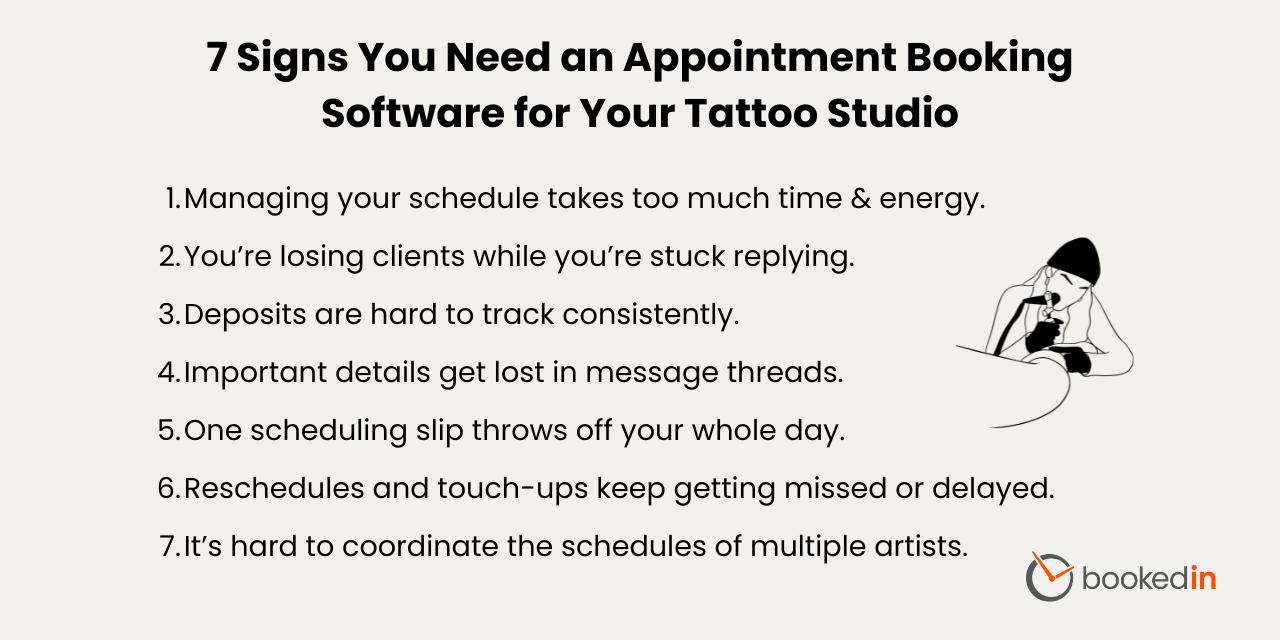
7 Signs It’s Time To Switch to a Tattoo Booking Software
Still not sure if you’ve outgrown manual scheduling for your tattoo studio? These are the clearest signs it’s time to switch.
- Manual scheduling is starting to feel like a second job. If you’re constantly replying, confirming, and re-confirming, it’s a sign that the admin work is eating into your week.
- You’re losing leads because you can’t reply fast enough. People usually message a few different tattoo studios or artists at once, and the one who has the easiest booking process often wins.
- Deposit tracking is turning into a headache. If you’ve ever had to second-guess whether a client has already paid, or you don’t notice a missing deposit until the appointment is close, that’s a red flag.
- Your bookings involve too many moving parts to track in DMs. Custom pieces, references, sizing, placement, and consultation decisions are easy to lose when they’re spread across messages.
- Small scheduling mistakes are throwing off your whole day. Longer sessions, setup buffers, and tight turnaround times don’t leave much room for a mix-up.
- Reschedules and touch-ups are getting harder to manage. Although these are typically quick to handle, the problem is keeping them organized when they’re scattered across messages and your inbox is getting full.
- You have multiple tattoo artists at the studio, or you’re hosting guest artists. With more people booking time in the same studio, even a small miscommunication (like the wrong start time or session length) can snowball into a messy day for everyone.
Also read: How To Choose the Right Tattoo Booking App
How To Switch to Using an Appointment Scheduling App
Here’s how to seamlessly upgrade from manual scheduling to using a tattoo booking software or app — without changing how you connect with clients.
Step 1: Keep DMs for questions, but move booking to one link
Start by deciding what you’ll still handle in messages, such as quick questions or other inquiries.
Then, draw a clear line: when it’s time to lock in a spot, the booking happens through your link. This keeps things friendly and personal, but it stops the never-ending “What time works?” loop.
It also makes your process consistent, which clients actually appreciate.
Over time, people learn the flow naturally: questions or clarifications in DMs, book through the link.
Step 2: Set up your booking page properly
Before you share the link everywhere, make sure the booking experience matches how you run your studio. Use the same tone you use with clients in real life — that is, clear, calm, and straightforward.
Put your key policies right where clients will see, covering things like the deposit rules, rescheduling window, and late cancellation policy.
Keep your intake questions practical. The goal is to collect all the info you need to prepare well, not a long questionnaire that slows people down.
Step 3: Make the booking page easy to find and easy to use
Once the system is ready, your job is to remove as much friction as possible for your clients. Put the booking page link in your bio, pin it in highlights, and add it to your auto-reply so every new inquiry sees the same next step.
When someone DMs you about how to book, send a short message that frames the link as the fastest way to grab a spot, not as you brushing them off.
If you have an in-studio setup, add a QR code for rebooking so clients can lock in their next session on the spot.
Why Bookedin Is a Good Fit for Tattoo Shops Moving to Online Booking
Once you’re ready to move away from manual scheduling, Bookedin is your best bet for keeping bookings professional, predictable, and way less stressful.
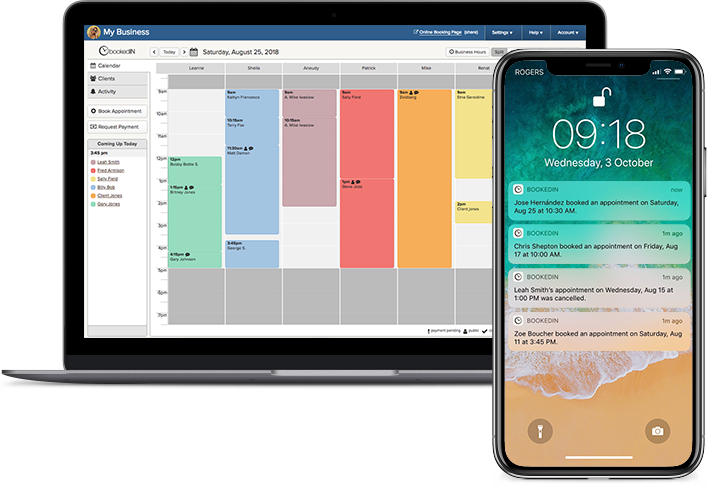
It gives you a neat booking page that your clients can use 24/7, plus tools like deposit collection, clear policies, and automated reminders that keep your schedule running smoothly in the background.
Book a free demo & see how it works
You can customize your booking flow with the questions you actually need, so appointments come in cleaner and more complete. Not to mention, if you have a team, it helps you organize staff schedules and availability in one place, so you’re not juggling separate calendars or guessing who’s free.
Curious to see if it’s really a good fit for your tattoo studio? Sign up now to get a 14-day free trial and start testing out all of Bookedin’s powerful features.
FAQ About Manual Scheduling vs. Tattoo Booking Software
Can I still do consults before confirming a tattoo appointment?
Yes, of course. You can set your process so clients book a consult first (in-person or virtual), then you approve the tattoo appointment after you’ve seen the idea, placement, and scope.
This keeps your calendar protected while still giving you control over what you take on.
Do I need an appointment scheduling software if I’m a solo artist?
Not always, but it's usually still quite worth it. Even solo artists deal with the same tasks that can drain their time and energy: back-and-forth, deposit tracking, reschedules, and reminders.
If you’re busy, using a booking software can save hours a week and help you look more organized to clients.
Is booking manually costing me more than I think?
Usually, yes. You might not be paying a monthly fee, but you’re paying in time and effort: replying to messages, confirming details, tracking deposits, and sending reminders can easily add up over the week.
Since everything lives in DMs and texts, important info can get buried, which leads to missed deposits, scheduling mix-ups, or even lost bookings. Over time, that extra admin work eats into your drawing time, your focus, and your days off.
What if my clients only want to DM?
You don’t have to cut DMs out completely. A lot of studios use a hybrid approach: DMs for questions and perhaps “vibe checks,” then a booking link to lock in the time and deposit.
Over time, most clients use the link because it’s faster — and you still keep the conversation personal.