6 Best Tattoo Booking Apps for On-the-Go Scheduling
There’s no shortage of appointment scheduling tools for tattoo studios, but not all of them work well on mobile. You can’t just manage those tattoo bookings from a desk all day long.
That’s why we’ve compiled a list of the best tattoo scheduling software that also come with a mobile app, so you can keep your schedule organized even on the go or in between busy sessions.
Best Mobile Booking Apps for Tattoo Artists & Studios
Below are the most highly recommended tattoo booking apps that make it easy to manage day-to-day admin from your phone, so your calendar stays organized no matter how busy you get.
1. Bookedin for Business
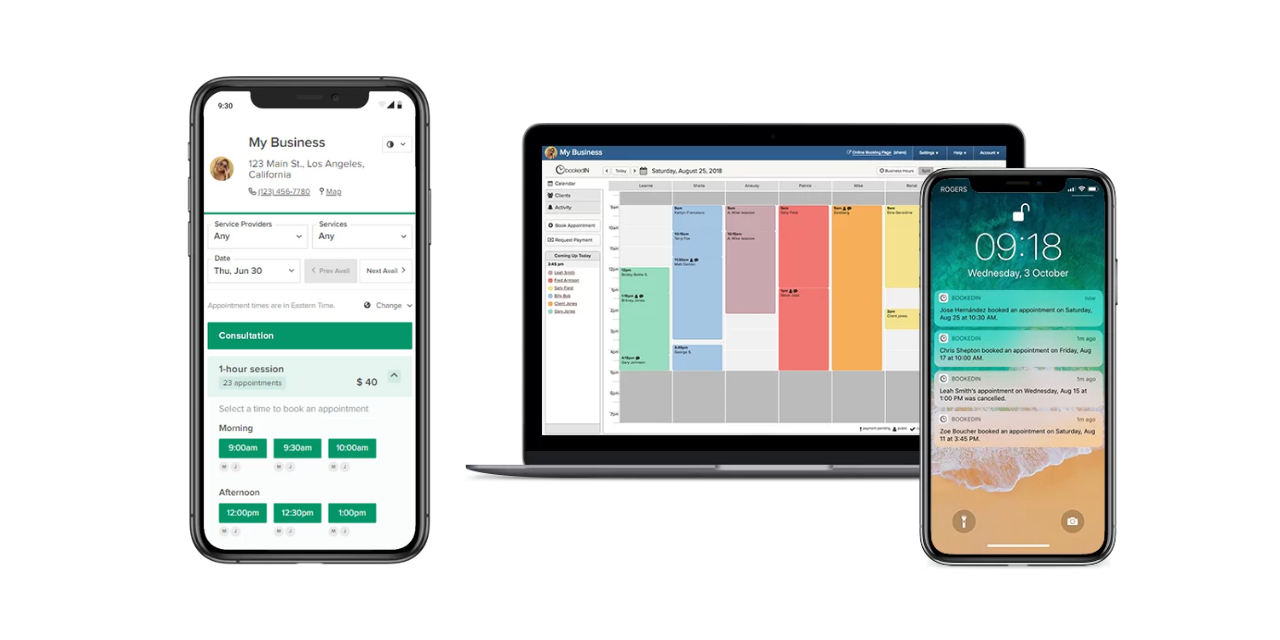
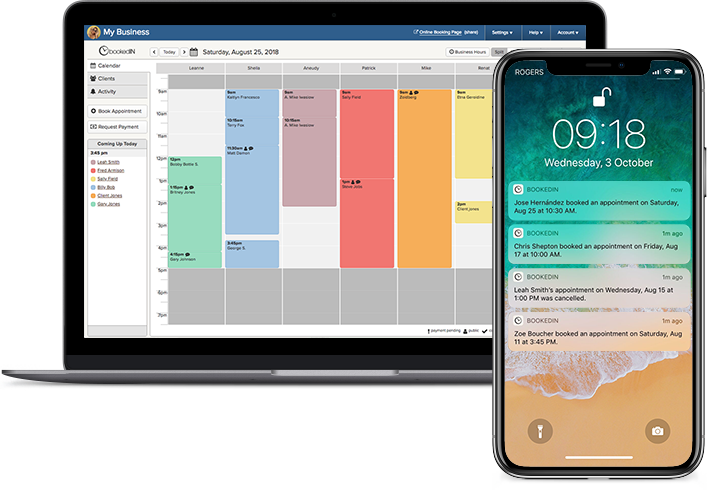
Bookedin is a strong fit for studios that need a scheduling system without having to deal with a steep learning curve.
This tattoo mobile booking app is also ideal for tattoo artists who want deposits, reminders, and intake details handled consistently — all while keeping things simple and easy to manage from their phones.
See how it works with a free demo
Key features at a glance:
- Mobile-first admin and staff workflow: Manage bookings and stay on top of the day from the Bookedin mobile app, with quick schedule adjustments and notifications.
- Multi-artist scheduling and role-based access controls: Give each artist their own calendar and assign an access permission level, so you’re not sharing passwords.
- Custom booking forms and request-form option: Collect tattoo-specific intake details (e.g., placement, size, budget, reference images), or switch to a request flow when you want to approve clients before confirming.
- Deposits, payment requests, and refunds: Require deposits or full prepay at booking, send payment requests before or after sessions, and issue partial or full refunds when needed.
- Automated client reminders with policy-friendly controls: Send up to three reminders per appointment via text or email, and include links to confirm, cancel, or reschedule, plus a cutoff window for cancellations and reschedules.
- Client profiles, notes, and file attachments: Keep client history and notes organized and attach files like consent forms and reference images directly to the appointment.
Reduce no shows and double booking
Simple online scheduling tuned for studios.
2. Porter

Porter is designed for tattoo studios that want a single system tying together bookings, money movement, and client management, which is especially helpful if you’re tracking performance across multiple artists.
It’s positioned as an all-in-one tattoo studio app that helps you avoid having to use too many separate tools and keep your shop operations centralized.
Key features at a glance:
- Tattoo-friendly booking workflow: Use a custom intake form to collect what you need before you approve or schedule—less back-and-forth, cleaner handoff.
- Automated artist payouts and commission splits: This one is ideal for multi-artist studios that don’t want to do payout math manually.
- CRM and marketing tools: Track clients and run marketing from within the same platform.
- Reporting and financial management: Get a clear view of revenue, artist activity, and payout totals so you can spot trends and manage the business proactively.
3. TattooGenda

This pick is worth considering if your priority is having a structured, repeatable process — from collecting deposits and forms to maintaining documentation and sending aftercare instructions.
It’s well-suited for studios that want fewer manual follow-ups and more consistency across artists.
Key features at a glance:
- Digital consent forms and client tracking: Store client details and paperwork in one place.
- Aftercare that you can standardize: Use a ready-made aftercare template or plug in your studio’s version to keep instructions consistent across artists.
- Optional auto-cancel for unpaid deposits: If the deposit isn’t paid by your deadline, the slot can open back up automatically.
- Ink documentation (EU-friendly traceability): Record ink brand and batch or lot, and send records to clients.
4. Vagaro Pro
If you want your booking system to be part of a broader set of business tools, Vagaro Pro (aka Vagaro’s business/admin app) might be for you. It lets you handle the day-to-day from your phone, like managing your calendar, client info, payments, and basic marketing tools.
Meanwhile, people can also book your services through the Vagaro customer app, which makes it easier for returning clients to book again and for new clients to find you.
Key features at a glance:
- Simple broadcast and follow-up messaging: Message about promos, schedule updates, or last-minute availability to your client list via SMS or email.
- Packages and memberships: Sell prepaid session packs or recurring memberships, which can be useful for multi-session work and client retention.
- Retail and inventory tracking: Track product sales (like aftercare, merch, or jewelry) alongside appointments.
- Collect rent and fees in the system: If artists pay a booth or chair rent or some other studio fee, you can track and collect those payments without separate invoicing.
5. Square Appointments

Square Appointments may be a good pick if you want booking tightly tied to checkout, especially if you already use Square for payments.
For your current and potential new clients, there’s also the Square Go app, which can support discovery and easy rebooking depending on how you’re set up.
Key features at a glance:
-
- Cards on file for repeat clients: Save payment details (with permission) so returning clients can check out faster.
- Flexible appointment types: Create all-day blocks, longer sessions, or recurring bookings, then assign them to specific services and staff.
- Cancellation policy controls: Set rules for how far in advance clients can cancel/reschedule, with payment rules to discourage no-shows.
- Multi-staff schedule management: Set staff hours, breaks, time off, and exceptions so clients only see bookable times.
6. Venue Ink
Venue Ink works well for tattoo artists who manage bookings between appointments (or while traveling).
Instead of bouncing between forms, messages, and a separate calendar, it centralizes the steps you need to take to turn inquiries into scheduled sessions.
Key features at a glance:
- Client conversations built into the booking flow: Message clients directly inside their booking request so the details stay attached to the appointment.
- Deposits and payments handled in-app: Collect deposits upfront and take payments through the same system you use for scheduling, so you’re not juggling separate payment apps.
- Flash upload and management: Upload and organize flash designs, set pricing and availability for flash days, and let clients browse and request directly.
- Free to start (with client fees covering costs): Artists can use it for free at the basic level, and the platform is paid for through fees charged on client bookings. Optional paid upgrades exist.

Stop losing time in your messages
Let clients pick a time and confirm instantly. Your schedule stays full and your inbox stays quiet.
- ✓Collect deposits seamlessly
- ✓Automatic reminders
- ✓Calendar sync
- ✓Mobile‑friendly booking
Also read: 8 Best Scheduling Software for Tattoo Studios in 2026
Conclusion
Whichever tattoo booking app you choose, aim for a setup that makes it easy for you to collect the right intake details, charge deposits up front, and keep communication organized. It’s those three things that do the most to protect your time and keep your calendar full.
And since you’re probably rarely at a desk, choose one that’s fast and intuitive on mobile for day-to-day admin, so you won’t have to be glued to a computer.
P.S. — Leaning toward Bookedin? You can start with a 14-day free trial when you sign up, so you can test out all its features!